
Monthly
$500/ month
12-month agreement
12 payments of $500 = $6,000 over the year, plus any tax.
- Billed monthly: 12 payments of $500
- Everything in Banay OS™, for your whole company
- No automatic renewal
Create your account
Banay OS™ is your AI administrative assistant. It files your receipts, turns crew hours into job costs and shows what every job is making, live, so you can get back to building.
$500 a month or $5,000 a year12-month agreement, no automatic renewalEnglish · Português · Español
What comes off your plate
You didn’t start a business to chase timecards and dig through receipts after a long day. Banay OS™ does the office work while you’re on the job.
The shoebox of receipts
Every receipt is read, filed to its job and ready for your accountant.
Friday-night timecards
Hours come in from the crew’s phones, sorted by week and by job.
“Did that job make money?”
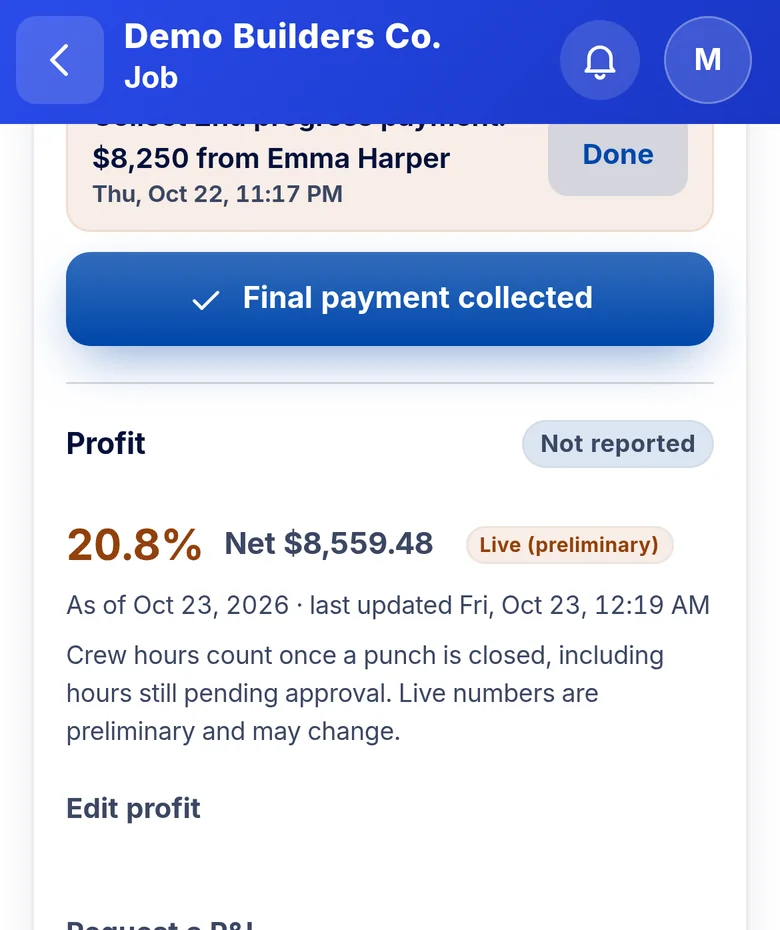
A live P&L for every job, updated as hours, receipts and sub costs come in.
Estimates at the kitchen table
The AI drafts the estimate. You review the numbers and send it from the driveway.
The basics
Banay OS™ runs on your phone and computer, for you, your office and your crew. Each person sees what their role needs.
Your crew snaps receipts and clocks in from their phones. No more paper, no more texts to chase.
Receipts, hours and sub costs land on the right job, and your calendar shows who is where.
Open any job and see what it’s making. Estimate the next one in minutes.
The automations
The everyday office jobs, done for you, with AI built in.
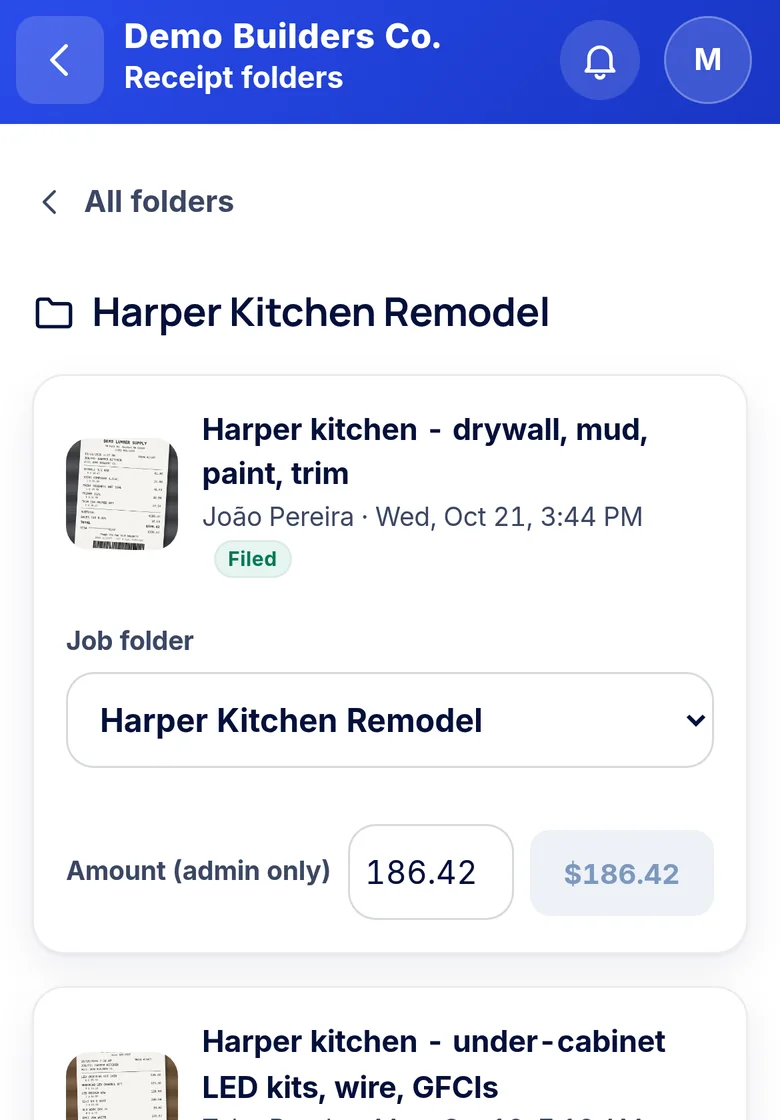
Snap a receipt. The AI reads it and files it to the right job, so the cost lands where it belongs.
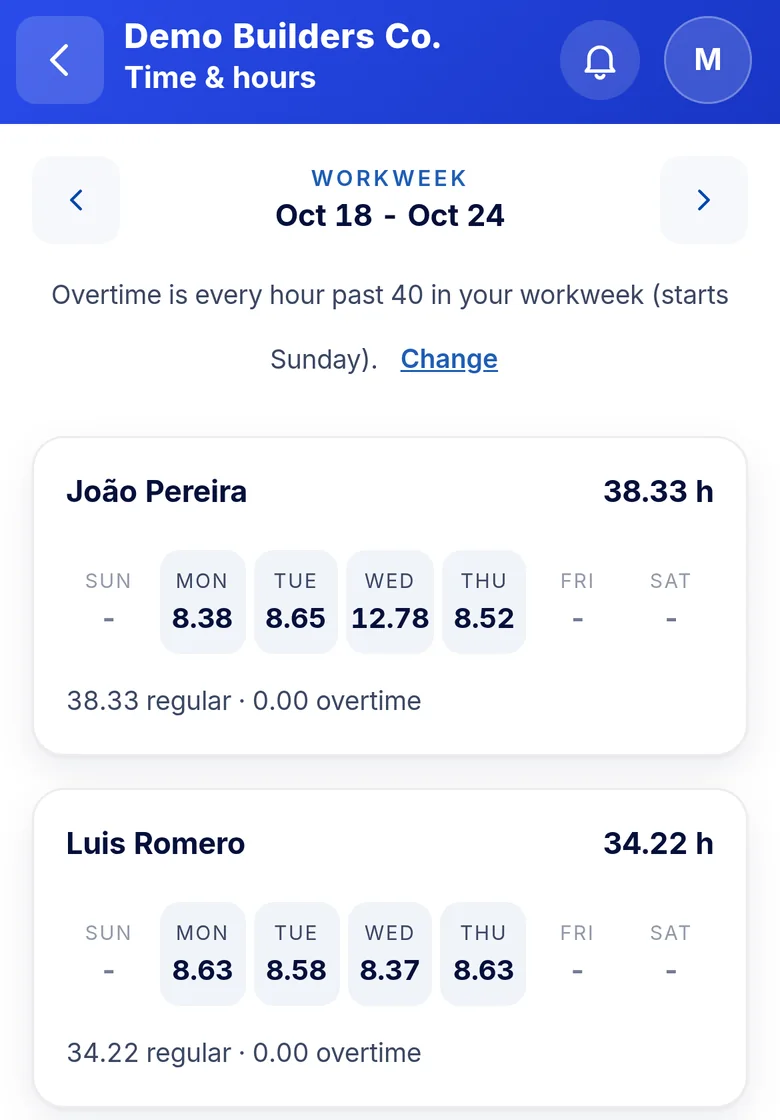
Crew clock in from their phones. Hours add up by week and roll into each job’s labor cost.
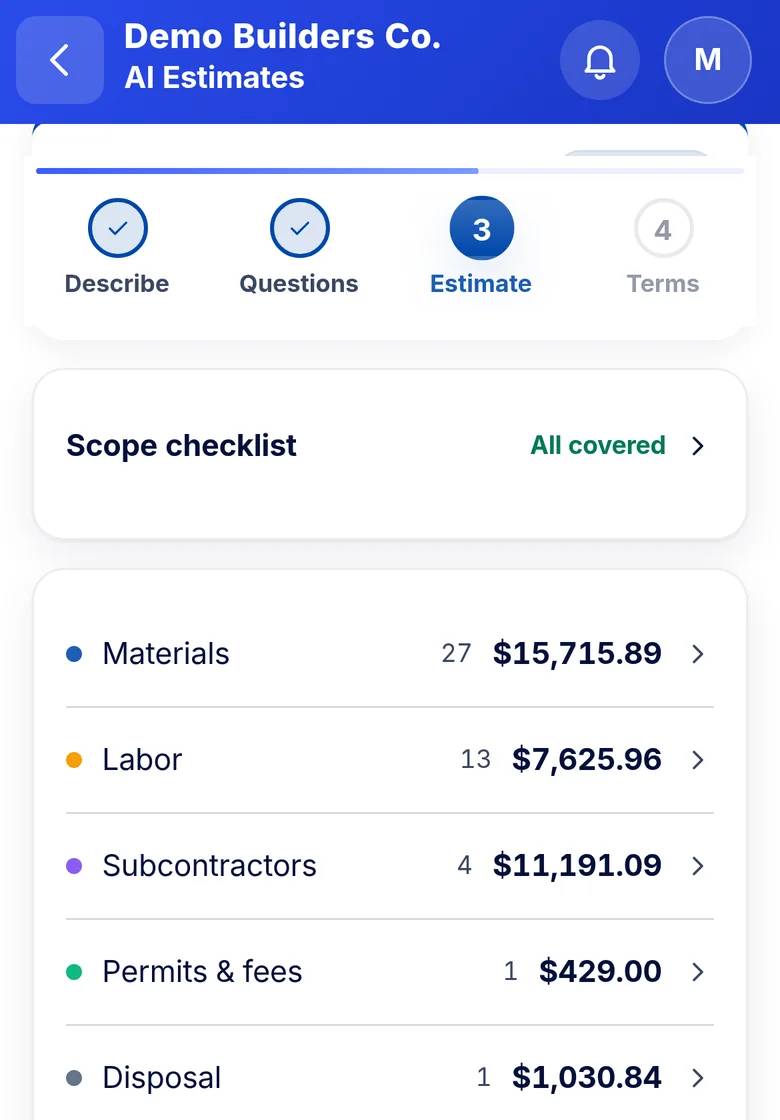
Snap photos and answer a few questions. The AI drafts a line-by-line estimate from your own prices. You check it and send it.
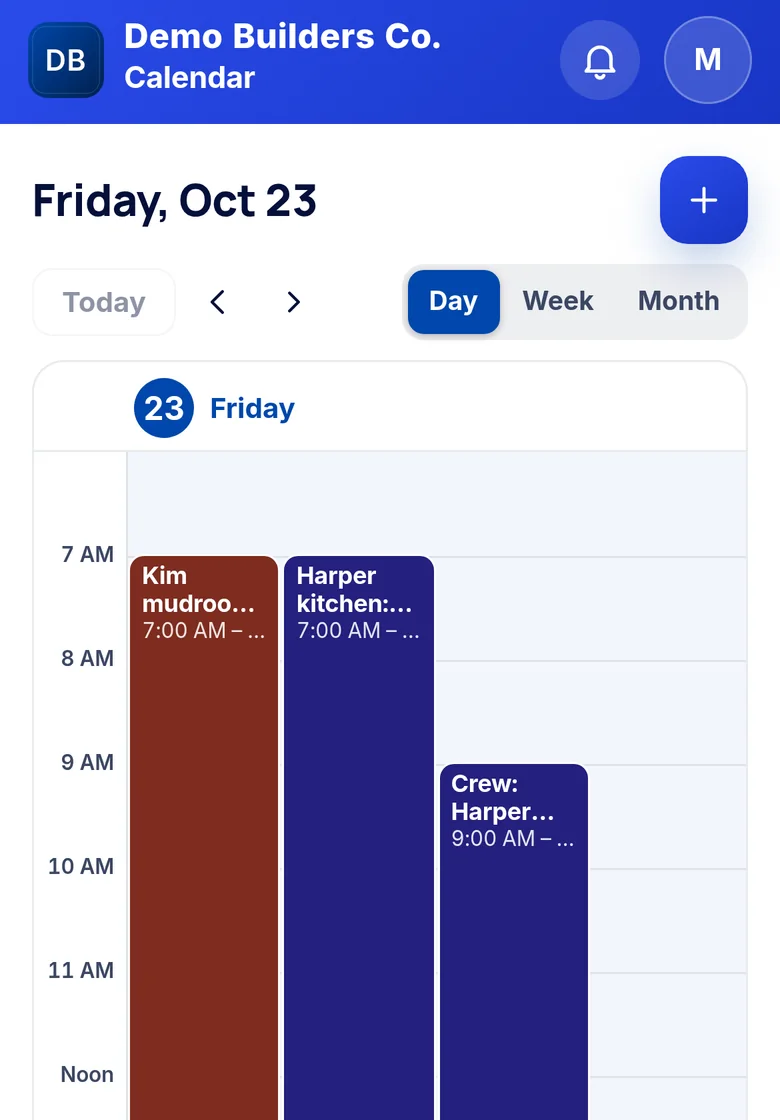
Book crew days on one company calendar, and keep Google Calendar in step with it.
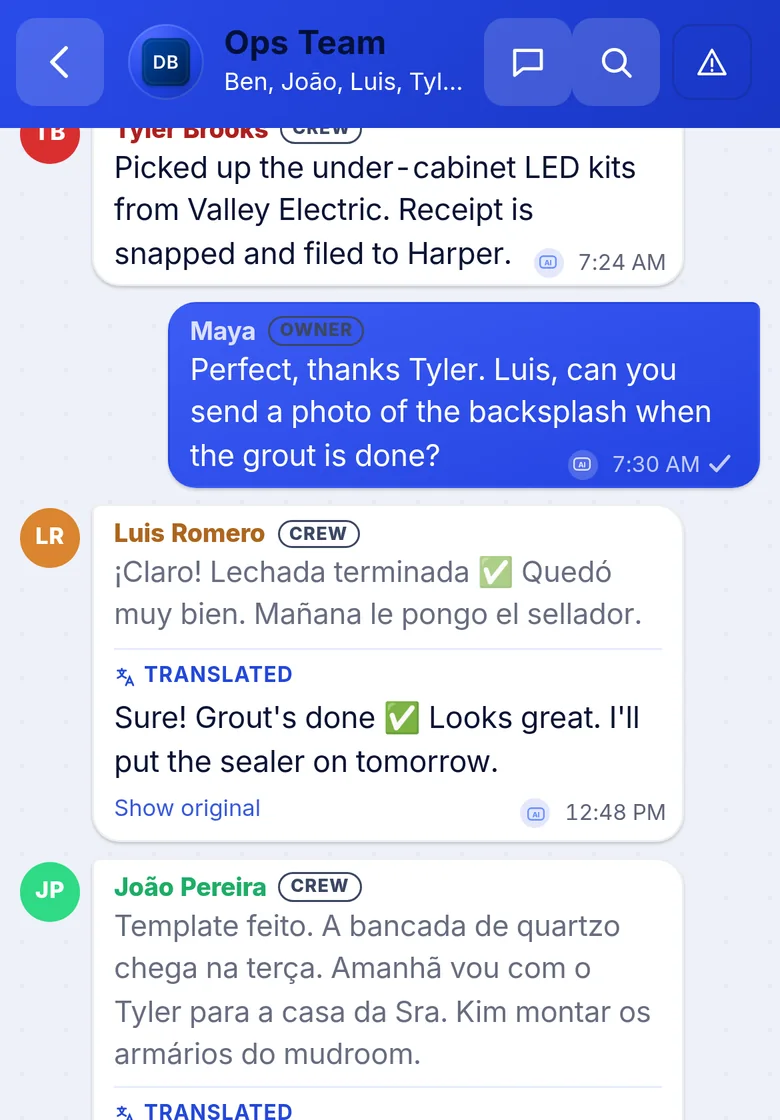
Team chat translates English, Portuguese and Spanish, so the whole crew is on the same page.
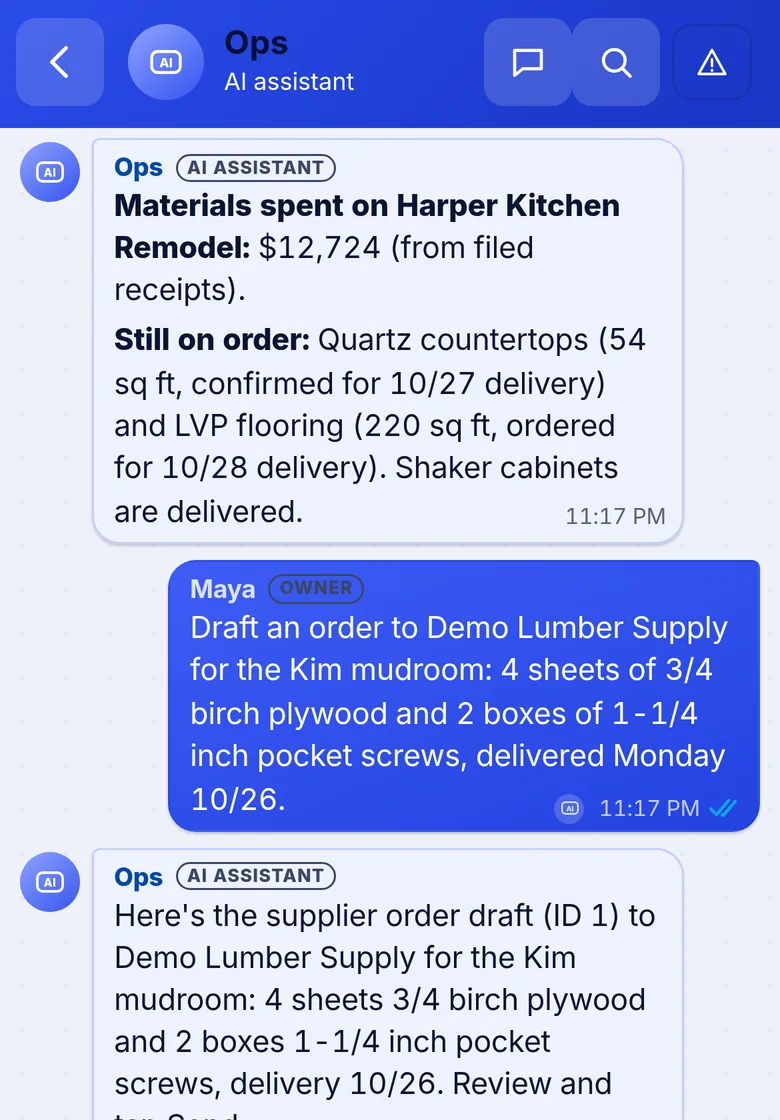
Ask what you spent on a job or have it draft a supplier order. It answers from your own records.
Real Banay OS™ screens · sample data from a demo company. AI drafts can contain errors: check every number before you send.
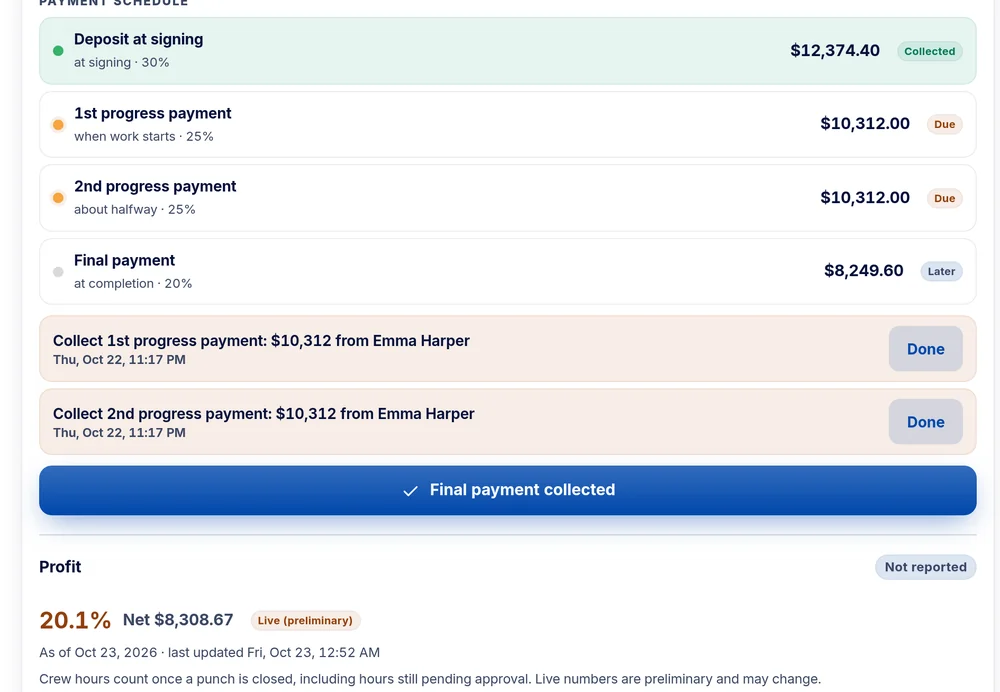
Live job P&L
No more waiting until the end of the job, or the end of the year, to find out. Hours, receipts and sub costs land on the job as they’re logged.
Open jobs show a preliminary P&L that updates as costs are logged. It becomes final once the job’s final P&L is in.
Built by a builder
“Built by Dominic, a general contractor who was tired of not knowing how much he spent or made per project, and of all the admin work that goes with it.”Dominic · Founder & Creator of Banay OS™
בנאי banai is Hebrew for “builder.” That’s where the name comes from.
Pricing
Everything in Banay OS™, for your whole company. Pick how you pay for your 12 months.
$500/ month
12-month agreement
12 payments of $500 = $6,000 over the year, plus any tax.
$5,000/ year
Paid up front, covers 12 months
$1,000 less than 12 monthly payments. Plus any tax.
You read and e-sign the full agreement before you pay anything. Payment is handled by Stripe. You pay for the features that are live in the app; features marked “coming soon” aren’t part of what you pay for.
The 12-month agreement
No surprises. Here is what you’re signing up for. You’ll read the full agreement and sign it online before any payment.
This is a summary. The signed agreement and the Terms of Service are what count.
How sign-up works
Name, email, company and language. Pick Monthly or Annual.
Read the 12-month agreement and sign it online, with a code sent to your email.
Pay the first month or the year on Stripe’s checkout page.
Add your company details, adopt your signature and land on your Home screen.
Questions
No. You read and e-sign the 12-month agreement, then pay the first month (or the year) to open your account.
Not just because you change your mind. You can end it early if we seriously break the agreement and don’t fix it within 30 days of your written notice. Then we refund any prepaid fees for the unused time. The full rules are in the agreement you read before you sign.
The agreement simply ends. Nothing renews and we don’t charge you again. We remind you 30, 14 and 1 day before the end date. To keep going, you sign a new 12-month agreement.
Yes. Export your records and files from the app any time. If you don’t sign a new agreement, the account turns read-only after the end date and you still have 30 days to export.
Prices are plus any sales tax that applies. Banay OS keeps clean records for your accountant. It’s software, not a tax or legal advisor.
English, Português and Español. Banay OS™ runs in the web browser on your phone, tablet or computer. Store apps are coming soon.
Some features, like automatic invoices, are still being built. You pay for the features that are live in the app today, and the price doesn’t depend on anything marked coming soon.
Create your account and get back to the work you love.
12-month agreement. Plus any tax. Already have an account? Sign in